UConn Educational Technologies
Dedicated to the support and advancement of best practices in teaching and learning at the University of Connecticut.
Technologies to Enhance Teaching and Learning at UConn

Video Conferencing
Use a variety of video conferencing tools to meet with your students.

Recording Technologies
Use technologies such as Kaltura and the Lightboard room to create and share videos.

Collaboration & Engagement
Use a variety of tools to engage students in the classroom and outside it

Testing & Assessment
UConn offers a variety of testing and assessment solutions to better enhance
your teaching.

Accessibility
UConn is committed to providing an accessible digital environment for everyone.
Workshops
Register Today
-
Apr
23
TEAching Tuesdays (TA’s) 1:00pm
TEAching Tuesdays (TA’s)
Tuesday, April 23rd, 2024
01:00 PM - 02:00 PM
Beanery
TEAching Tuesdays – Open office hours for TAs. Tuesdays 1-2 @ the Beanery
Come to casually discuss any challenges you have in the classroom. Meet other people interested in learning how to be their best instructor selves and help us grow our community of reflective instructors! All who come will get a free tea, coffee, or other beverage.
For more information, contact rachel.prunier@uconn.eduContact Information:
More -
Apr
30
TEAching Tuesdays (TA’s) 1:00pm
TEAching Tuesdays (TA’s)
Tuesday, April 30th, 2024
01:00 PM - 02:00 PM
Beanery
TEAching Tuesdays – Open office hours for TAs. Tuesdays 1-2 @ the Beanery
Come to casually discuss any challenges you have in the classroom. Meet other people interested in learning how to be their best instructor selves and help us grow our community of reflective instructors! All who come will get a free tea, coffee, or other beverage.
For more information, contact rachel.prunier@uconn.eduContact Information:
More -
Apr
30
Getting Started with your Blackboard Ultra Course 2:00pm
Getting Started with your Blackboard Ultra Course
Tuesday, April 30th, 2024
02:00 PM - 03:00 PM
Online
UConn’s HuskyCT now offers instructors and course creators the option to use the latest version of Blackboard, called Ultra Course View, a.k.a. “Ultra”. This session will provide an overview of the Ultra course experience and cover the basics of building content and assessments. All levels of experience are welcome, bring your questions!
April 30, 2:00-3:00pm
Register - https://fins.uconn.edu/secure_inst/workshops/workshop_view.php?ser=3024 -
May
1
HuskyCT Preparing your Grade Center for Grade Calculation 1:00pm
HuskyCT Preparing your Grade Center for Grade Calculation
Wednesday, May 1st, 2024
01:00 PM - 02:00 PM
HuskyCT Preparing your Grade Center for Grade Calculation
Online
Presenter: Jordan Vinikoor, CETL-eCampusIn this session, you will learn to ensure your Grade Center is set up to accurately record and calculate student grades within HuskyCT (Original Course View). We will cover specific settings and features including total points calculations, weighted percentage calculations, categorizing graded items, including/excluding graded items, incorporating tests/exams, assignments, discussions, as well as many other types of assessments and grades in your course. We will also cover how to send a grade column to Student Admin for midterm and final grade submission.
May 1, 1:00-2:00
Register - https://fins.uconn.edu/secure_inst/workshops/workshop_view.php?ser=3025
Noteworthy News
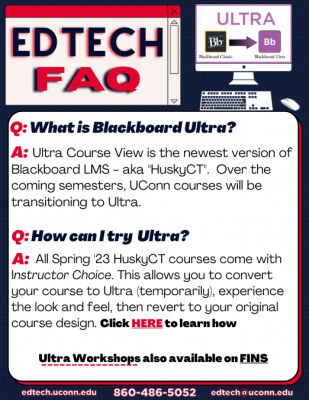
Ultra Course View is now available in HuskyCT!
UConn has introduced the new version of Blackboard into our HuskyCT platform, called Ultra Course View (UCV) and instructors can now request to use it for their teaching. Blackboard calls the new product "Blackboard Learn Ultra," although UConn will continue to refer to it as HuskyCT.
Courses will not switch to the upgraded version automatically. For the time being, only those instructors who choose the new version will have their courses switched over. Workshops and more information will be offered through CETL-Educational Technologies throughout Fall 2023 and continuing.
As we continue to roll out the new version of HuskyCT, we anticipate that it will appeal primarily to new users of HuskyCT, instructors who want a pared-down, more intuitive system, and courses with relatively uncomplicated course designs. Blackboard Learn Ultra is designed such that course sites are easier for instructors to build and for students to navigate, but some users may find the overall course layout is less customizable. In the early semesters of transitioning to the upgraded version, instructors of courses that rely on custom visual layouts and designs may choose to stick with "old" HuskyCT, aka Blackboard Learn Original.
If you'd like to learn more about upgrades to HuskyCT, keep an eye on this page and the Daily Digest, attend a HuskyCT workshop, or contact the CETL-EdTech office.
New software review process
Procurement has developed a new software and technology service review process to ensure the safety of FERPA-protected data.
EdTech FAQs